
Getting Started
The Partner API enables you to develop your own use cases around Monta-managed charge points, e.g. present them within your own solutions, start/stop charges or just import information into your CRM tool to have all business relevant data in one place.
Getting Access
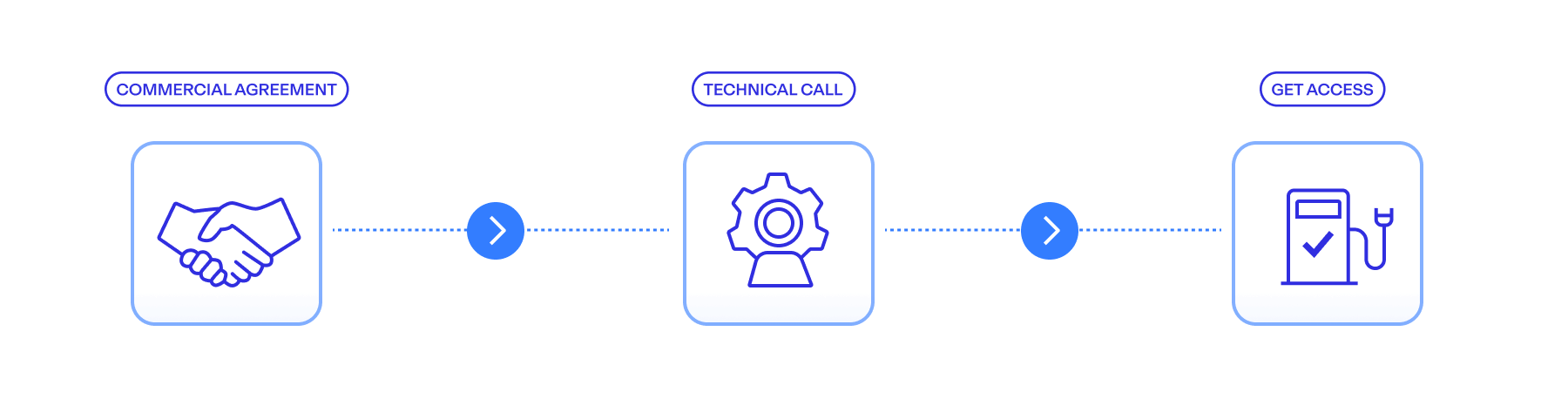
In order to get access to the Partner API, you need to:
- Get in touch with your Monta representative to discuss your use case and establish a commercial agreement for Partner API access.
- Once the commercial agreement is in place, our technical team will introduce your engineers to the Partner API and guide you through the integration process.
- After access has been enabled for your organization, you can create Partner API credentials directly in Monta Hub.
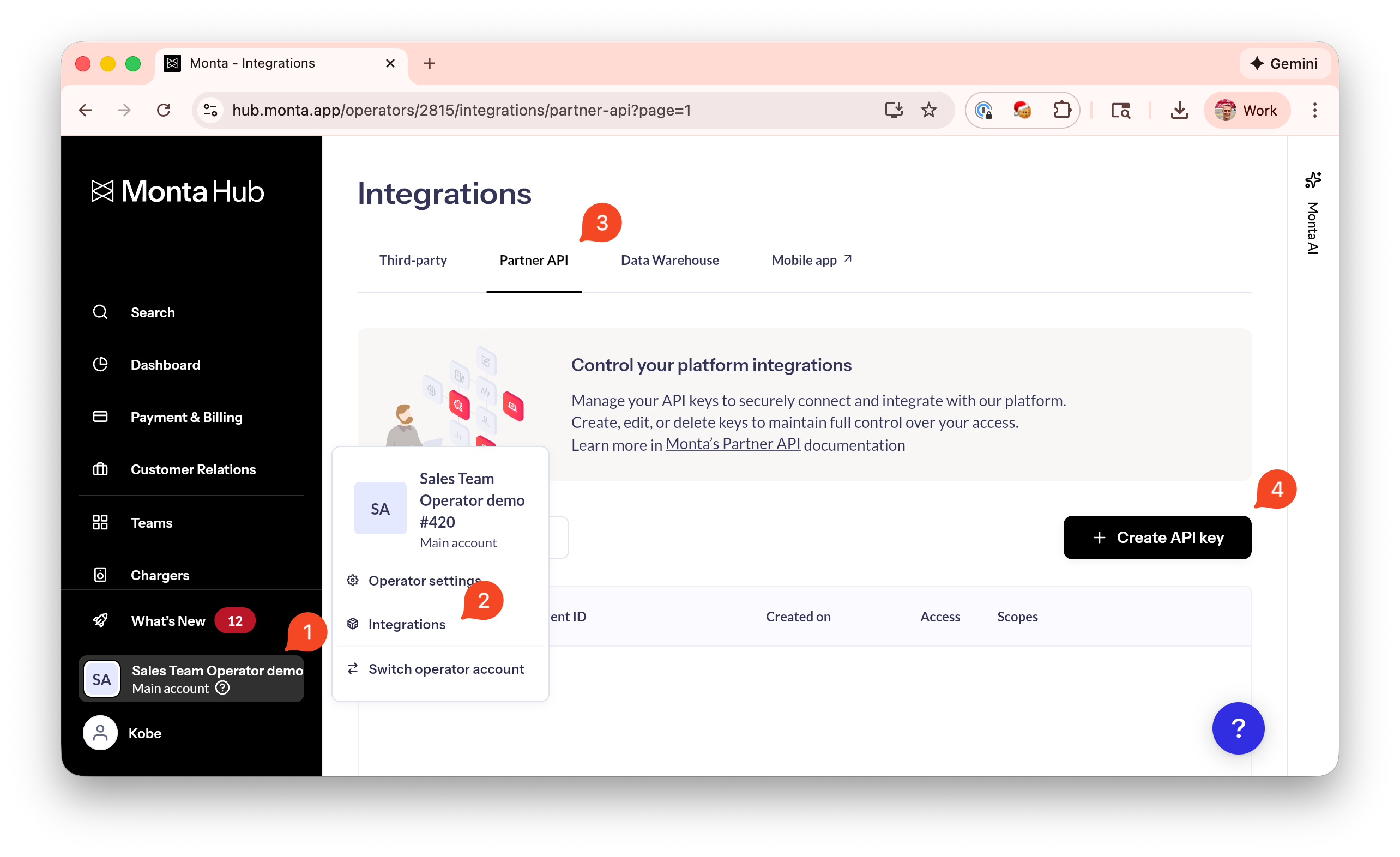
To create credentials:
- Sign in to Monta Hub as an Operator Admin.
- Go to Account settings → Integrations.
- Select Partner API.
- Create and manage your API credentials.
Note on permissions
Each API credential is created with specific permission scopes and optional team restrictions, defining what data and actions your integration can access. You can review and manage these at any time in Monta Hub. For more information:
Authentication > Scopes
Authentication > Access Control
Make your first API request
Once you have created your Partner API credentials, you can authenticate and make your first request in just a few steps.
Step 1: Exchange credentials for an access token
Use your clientId and clientSecret to request a short-lived access token from the authentication endpoint.
👉 See API Reference > Authentication page for the full request and response details.
Step 2: Call the API using the access token
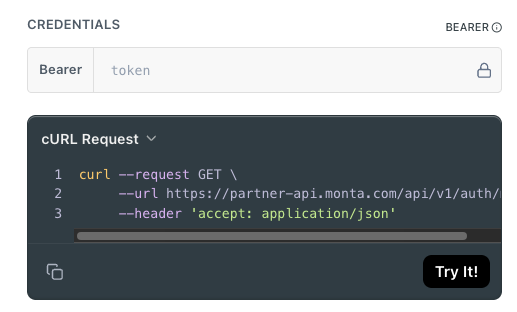
Include the returned accessToken in the Authorization header as a Bearer token for all subsequent API requests.
Authorization: Bearer YOUR_ACCESS_TOKENYou can also quickly test endpoints directly in the documentation by pasting your token into the Bearer field at the top of the page and clicking Try it.
Try it out here: API Reference > /consumer/me
Changelog
See: Changelog
Updated 7 months ago